The quote goes out by text or email. The customer picks an option, enters their name, ticks the box and approves — and can pay the deposit right there. Pricebookr keeps the exact document they approved with a SHA-256 fingerprint, in storage that cannot be edited or deleted for seven years. Included on Starter, $49 a month.
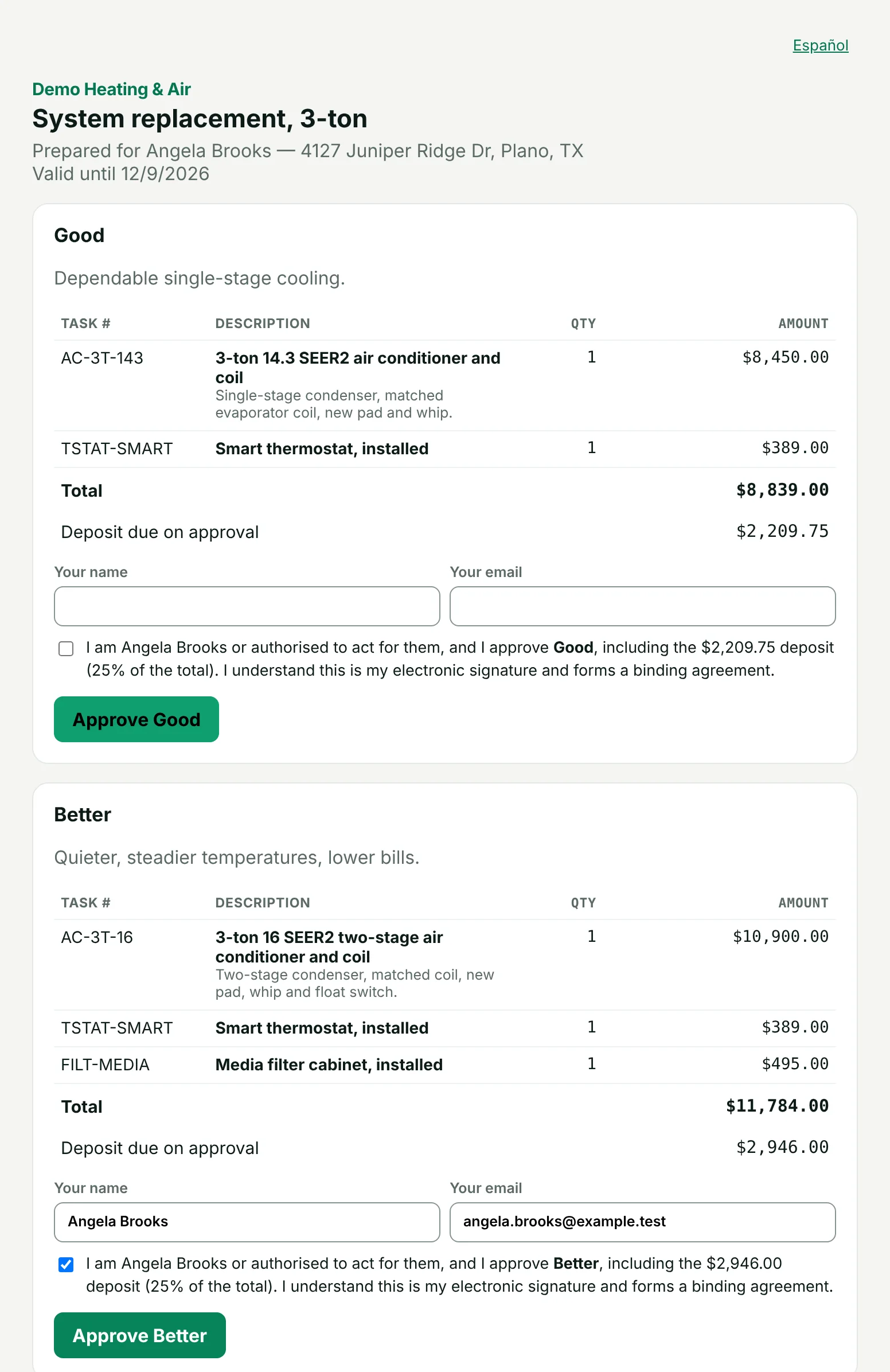
What your customer sees
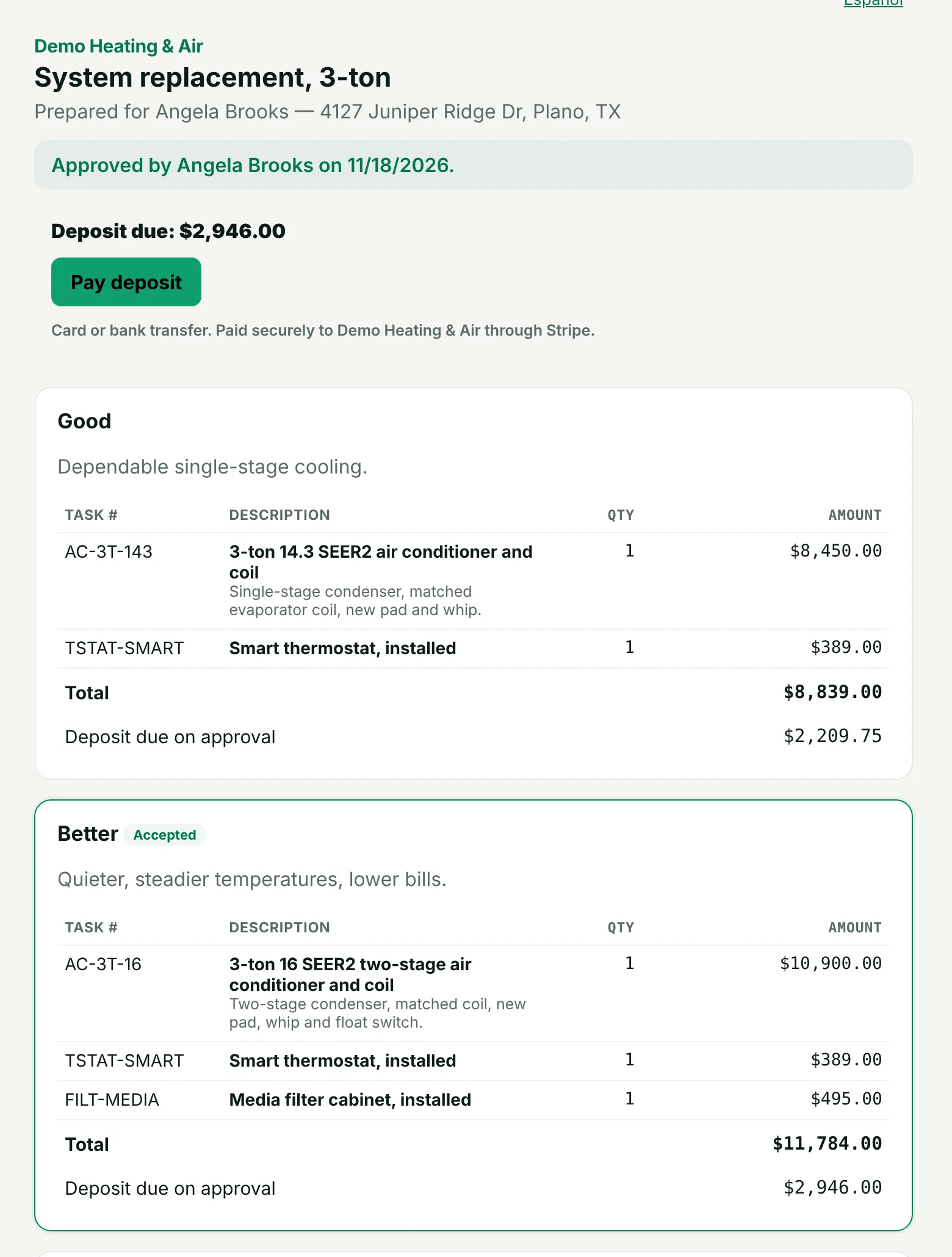
First a short notice asking them to agree to electronic records. Then every option with its lines and total, your terms and, if you turn it on, a three-day right-to-cancel notice. To approve they pick one option, type their name and email, and tick the box confirming it is their electronic signature. Both sides get a PDF copy by email, and approving opens the job.
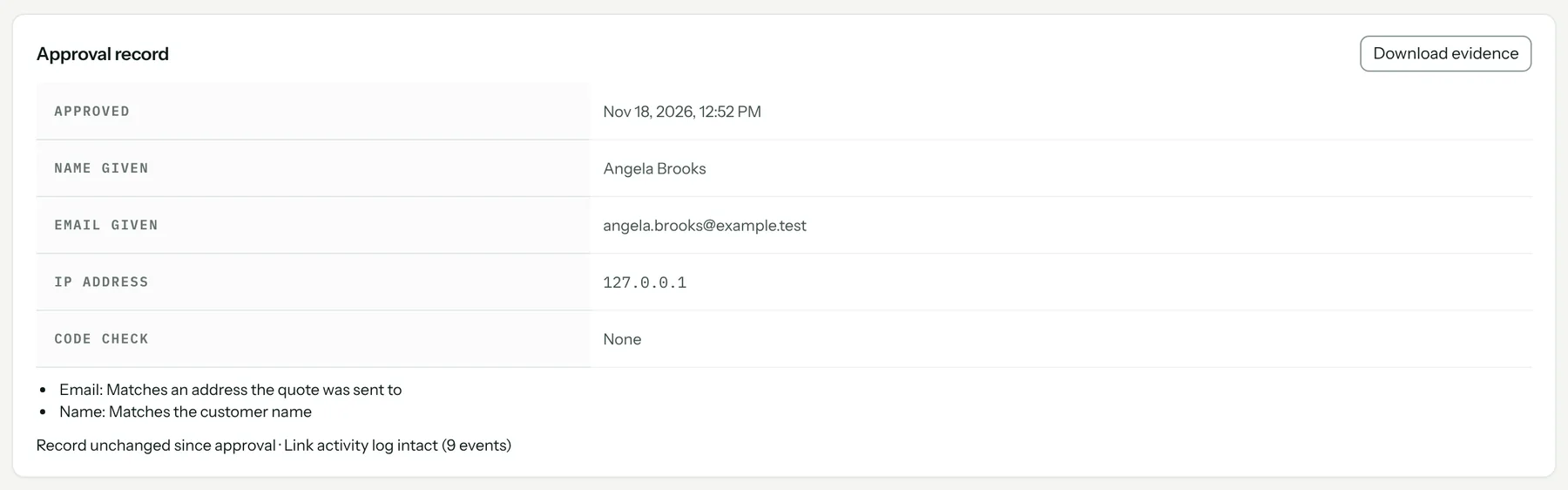
A record you can hand to anyone
When the customer approves, Pricebookr freezes a copy of the quote as they saw it and stores its SHA-256 fingerprint. The approval record shows the date and time, the name and email they typed and whether those match what you had, their IP address, and whether an email code was checked. Download evidence gives you a .zip with the certificate, the customer's PDF, the frozen quote, the link's activity log and instructions for checking the fingerprint without us.
Extra proof on big jobs
Require a six-digit code emailed to the customer before they can approve — on every quote, or only above a dollar amount you choose.
Take the deposit at approval
Set a deposit as a percentage of the option or a fixed amount. Right after approving, the customer pays it by card or bank transfer into your own Stripe account, and the deposit comes off the final invoice automatically. Cards cost 2.9% + $0.30 — see pricing for every fee.
On the driveway: verbal okay or a signature
In the field app, small jobs under your own limit go ahead on a recorded verbal okay. At or over it, the tech hands the customer the phone to approve and sign. The total always comes from the job's lines, never from what the tech types.
What it looks like
What it costs
Included on both plans: Starter $49 a month and Pro $89, each with one user included and $19 a month per extra user. Every plan starts with a 14-day free trial. Full pricing.
Start your 14-day free trial →
FAQ
Is a typed name a legal signature?
The customer agrees to sign electronically, types their name and ticks a box confirming the approval. Whether that meets a rule for a particular sale is a question for your attorney; you can also turn on a three-day right-to-cancel notice.
Does the customer need an account or an app?
No. They approve from a link in a text or email. Customers who approve quotes or pay invoices are not users and cost nothing.
What if the approval link expires?
The customer sees a button to ask you for an updated quote, which emails your office. Update the quote and send it again.
How to set it up
Related: Good / better / best quotes · Invoicing and payments · The field app for iPhone and Android · Everything the HVAC CRM does