Create the invoice from the option your customer approved, text or email the payment link, and get paid by card, Apple Pay, Google Pay or bank transfer — into a Stripe account in your own name. Once issued, an invoice's totals are frozen. Included on Starter, $49 a month.
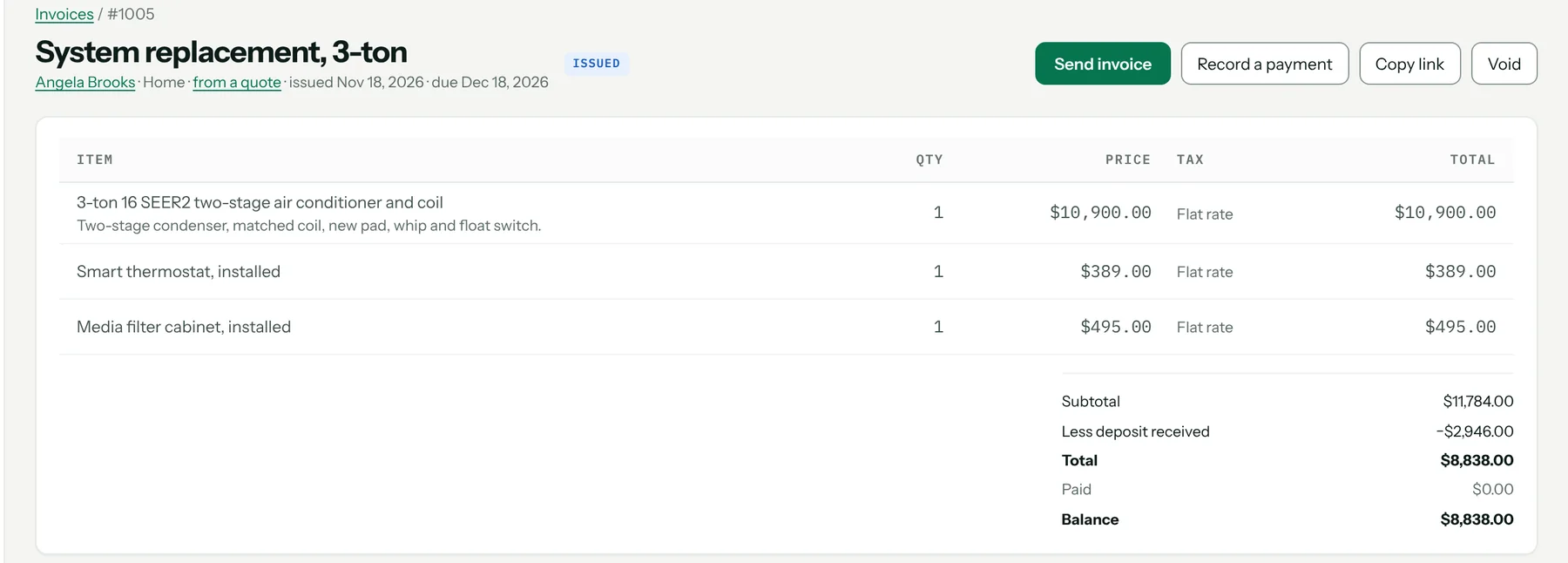
Invoice from the approved option
Start from the accepted option, add lines, or bill time at your own labor rate card. Any deposit already paid comes off. Once issued, totals are frozen, so a reprint next year matches what the customer holds.
Getting paid
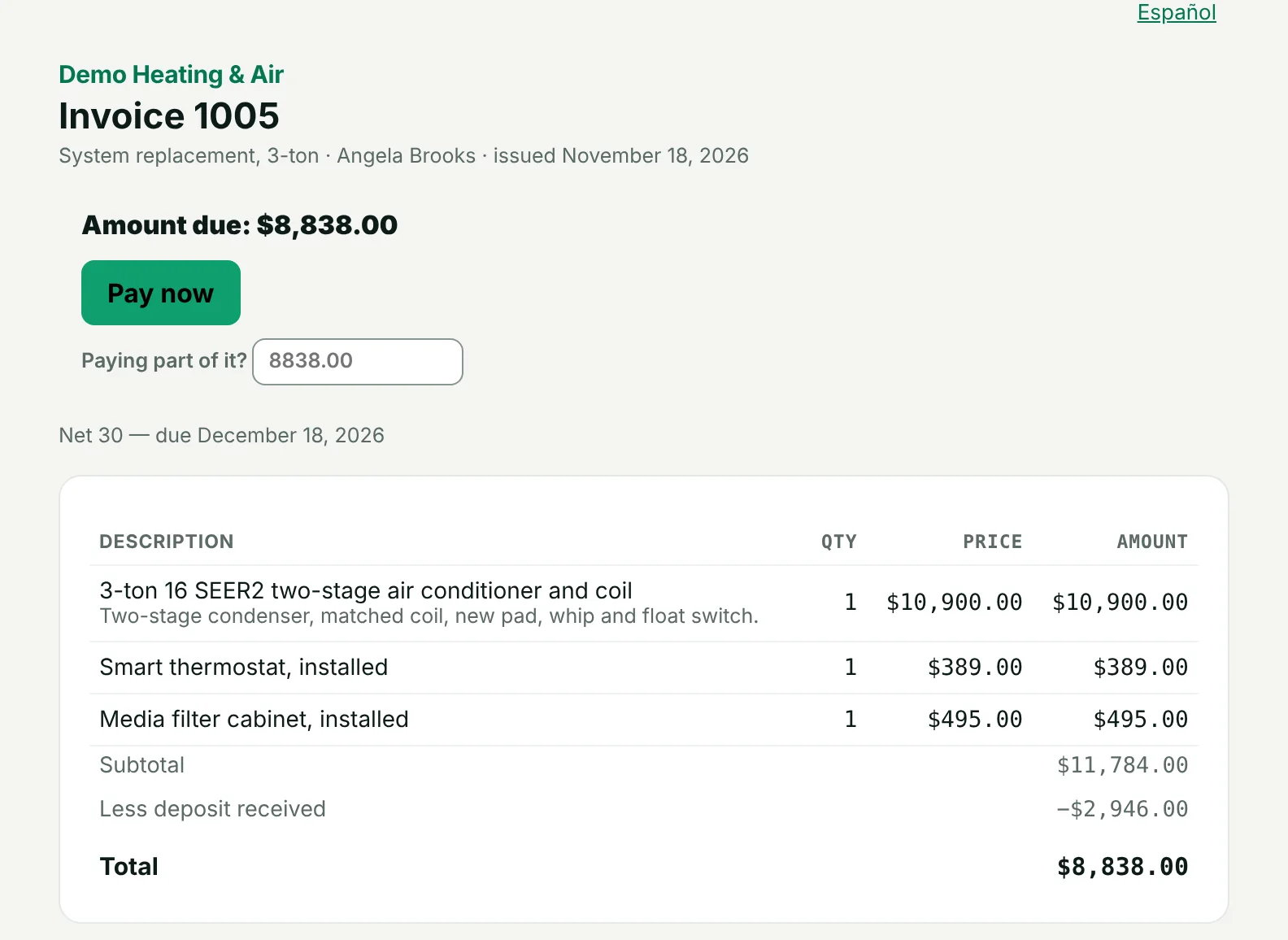
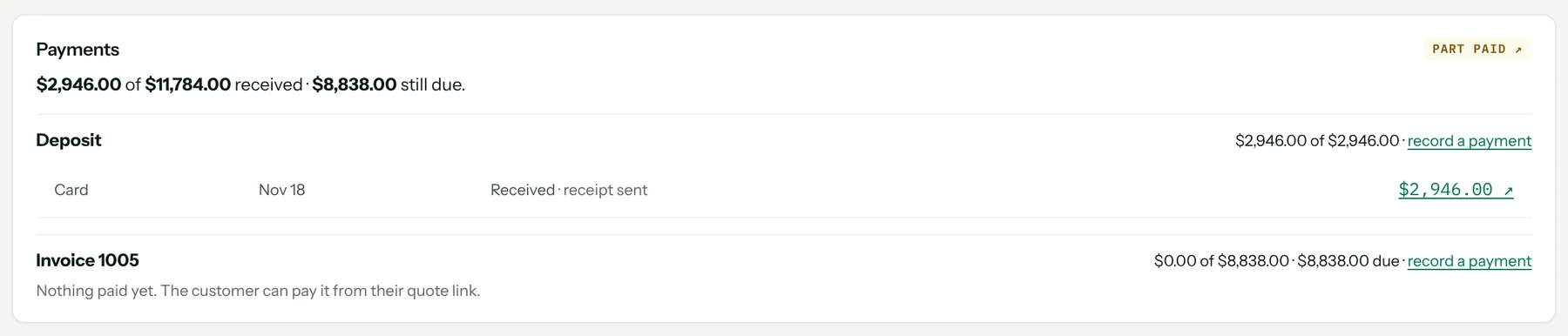
Customers pay invoices and deposits from a link by card (including Apple Pay and Google Pay) or ACH bank transfer. Record cash, checks and outside financing by hand. Refunds go back through the same screen, and every payment gets an emailed receipt.
Your money, your Stripe account
You connect a Stripe account in your own name. Money goes from your customer to your Stripe account and on to your bank on Stripe's schedule; it never sits with Pricebookr. Cards cost 2.9% + $0.30, with nothing added by Pricebookr. Bank payments and the rest are on the pricing page.
Payouts that tie to the bank
Every deposit Stripe makes to your bank is listed with the charges, refunds and fees inside it, so the office can match it to the statement. With QuickBooks Online connected, each payout posts as one deposit.
Reminders you don't have to send
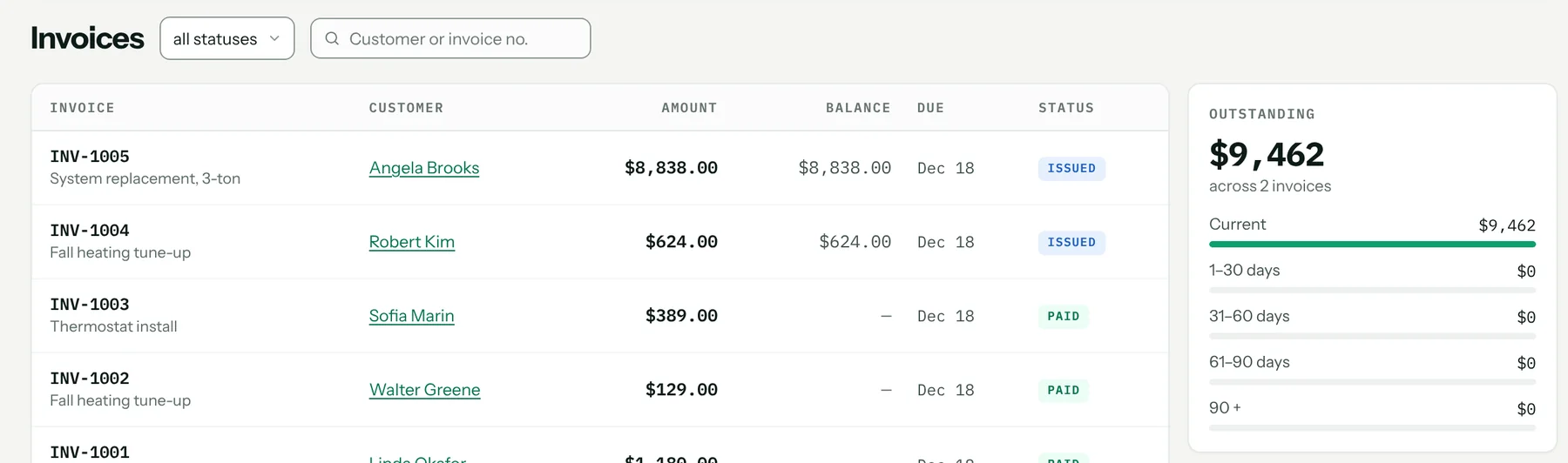
Optional reminder emails go out when an invoice is due and at 7, 14 and 30 days overdue — one at each step, never repeated. Switch them on under Automations.
Sales tax set by you
You set the rate, how you contract and which items are taxable; Pricebookr applies those answers. It does not decide tax law for you.
What it looks like
What it costs
Included on both plans: Starter $49 a month and Pro $89, each with one user included and $19 a month per extra user. Every plan starts with a 14-day free trial. Full pricing.
Start your 14-day free trial →
FAQ
Does Pricebookr hold the money my customers pay?
No. Payments run on a Stripe account in your own name. Money goes from your customer to your Stripe account and on to your bank on Stripe's schedule.
Can customers pay on site?
The tech creates the invoice from the accepted option in the field app and texts the payment link; the customer pays on their own phone. Card readers and tap-to-pay are not offered.
Where can I take payments?
Online payments run through Stripe for US businesses. Cash, checks and outside financing can be recorded by hand anywhere.
How to set it up
Related: QuickBooks Online sync · Online quote approval and deposits · Customer portal · Everything the HVAC CRM does