Each customer holds their service addresses, the equipment at each one, and every job, quote, invoice, payment, photo and text conversation in one place. Bring your existing list in from a spreadsheet, a Housecall Pro or Jobber customer export, QuickBooks Online, or a connected Jobber account. Included on Starter, $49 a month.
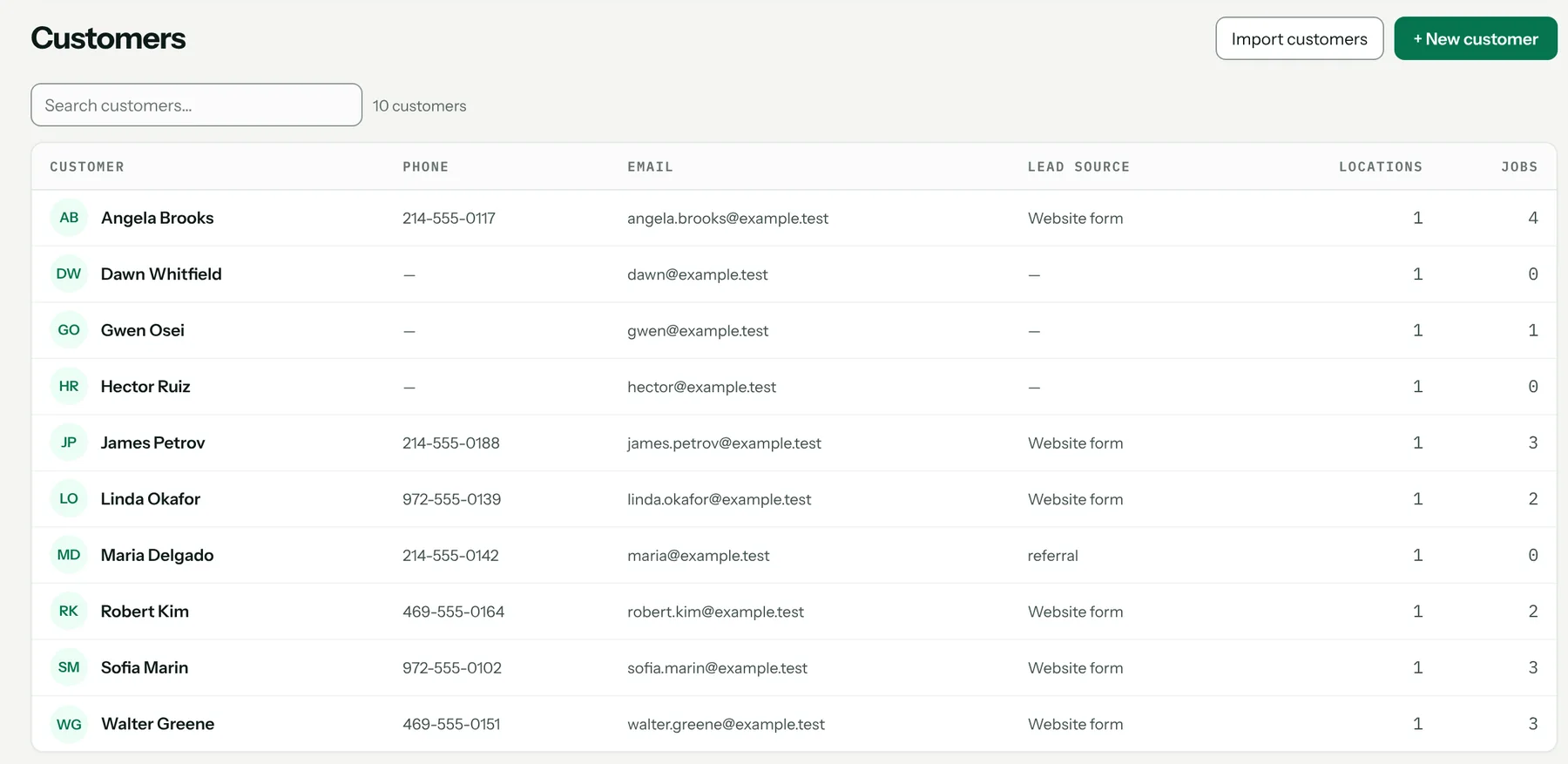
One record per customer
A customer can have several service addresses, and each address keeps its own equipment, access notes and history. Gate and lockbox codes in access notes are encrypted at rest. Open the record and you see every job, quote, invoice, payment, photo and text for that customer.
Bring the list you already have
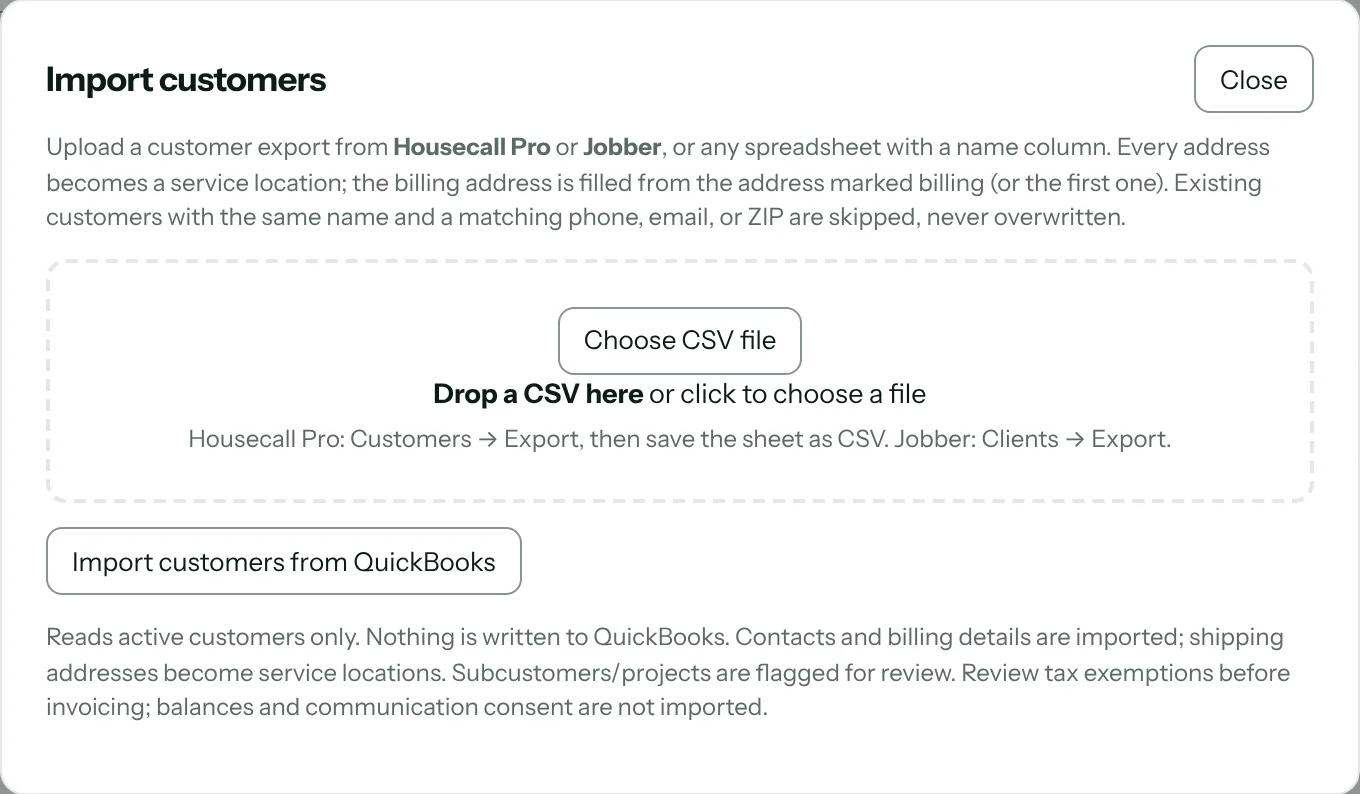
Upload the customer CSV that Housecall Pro or Jobber exports, or any spreadsheet with a name column. Pull customers from QuickBooks Online, or import clients and properties straight from a connected Jobber account. Every address becomes a service location.
Duplicates caught before anything saves
You see a preview first, with likely duplicates flagged, and nothing is saved until you confirm it.
What stays where it started
Jobs, visits, quotes, invoices, open balances, payments, equipment, memberships and photos don't import. Finish open work and collect open invoices where they started; new work starts here. Already on Jobber? Keep it — the price book syncs to Jobber either way.
What it looks like
What it costs
Included on both plans: Starter $49 a month and Pro $89, each with one user included and $19 a month per extra user. Every plan starts with a 14-day free trial. Full pricing.
Start your 14-day free trial →
FAQ
Can I import customers from Housecall Pro?
Yes. Upload Housecall Pro's customer CSV export. Customers, contacts and every service address come over, with notes and tags kept in the customer's notes.
Do my Jobber clients come over?
Yes, once, from a connected Jobber account or Jobber's client CSV export. Every property becomes a service location. Jobber keeps working alongside Pricebookr.
What about duplicates?
The import shows a preview with likely duplicates flagged before anything is saved.
Are gate codes and lockbox codes safe?
Access notes are encrypted at rest.
How to set it up
Related: Equipment history and site map · Two-way texting · Team roles and permissions · Everything the HVAC CRM does