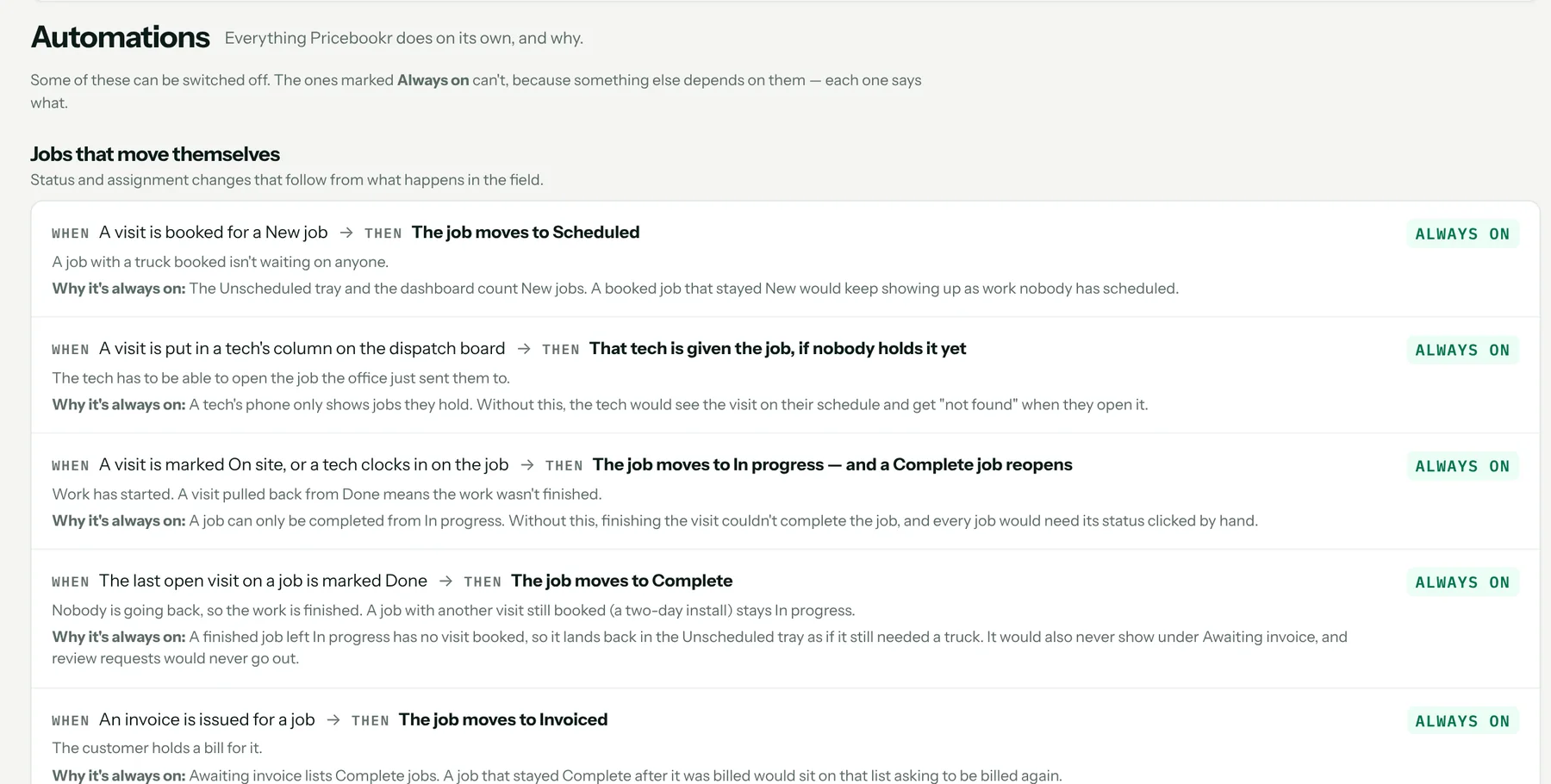
CRM → Automations lists every automatic action, when it happens and why. The optional ones can be switched off; the few that protect the customer — receipts, signed copies, reschedule notices — stay on and say why. Included on both plans.
What runs on its own
- Job status changes as visits are booked, started and finished
- Recurring visit generation and reminders the day before
- On my way texts
- Overdue invoice reminders when due and at 7, 14 and 30 days — off by default
- Review-request texts after a job is complete and paid — off by default
- Payment receipts and signed-copy emails
- Unanswered-text alerts, payment alerts and web-form lead alerts to the office
- Long-shift flags for review
Quiet hours built in
Customer texts such as reminders and review requests only go out between 9am and 7pm in your shop's timezone.
What it costs
Included on both plans: Starter $49 a month and Pro $89, each with one user included and $19 a month per extra user. Every plan starts with a 14-day free trial. Full pricing.
Start your 14-day free trial →
FAQ
Who can turn automations off?
Admins. Office users can read the screen.
How to set it up
Related: Invoicing and payments · Two-way texting · Scheduling and dispatch · Everything the HVAC CRM does