Connect QuickBooks Online once and invoices, payments, refunds and Stripe payouts post on their own. Each payout becomes one bank deposit with Stripe's fee and Pricebookr's fee on their own lines, so QuickBooks matches your bank feed to the cent. Included on Starter, $49 a month. QuickBooks is optional.
Connect once, choose three accounts
An admin connects from CRM → QuickBooks, picks the company at Intuit, then chooses where sales post, which bank account payouts land in, and where fees are booked. Allow about 15 minutes.
What posts, and when
| In Pricebookr | In QuickBooks | When |
|---|---|---|
| Issued invoice | Invoice at the full amount; a deposit already taken is applied as a payment | When issued |
| Payment (card, bank, cash, check) | Payment into Undeposited Funds | When paid or recorded |
| Refund | Refund receipt | When it succeeds |
| Stripe payout | One bank deposit that clears those payments, with the two fees as separate lines | When the payout lands |
No duplicate customers
Customers are matched by name: if QuickBooks already has the name, that customer is used; otherwise one is created. Already keep your customers in QuickBooks? Import them from it so the records are linked from the start.
A log you can check
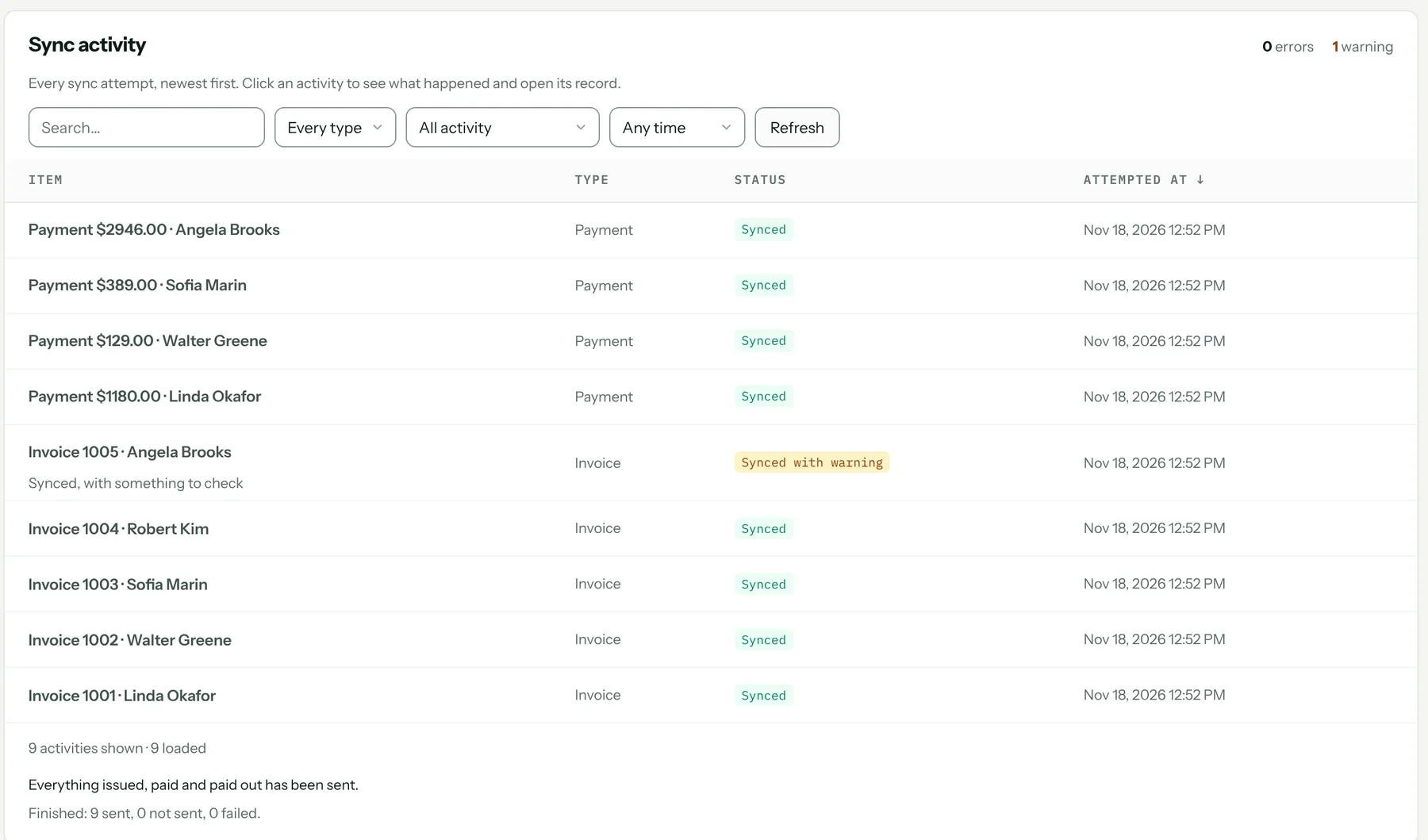
A sync log shows every attempt and retries failures. Send all backfills everything issued, paid and paid out before you connected, oldest first.
What it needs
- QuickBooks Online (Simple Start, Essentials, Plus or Advanced) in US dollars. QuickBooks Desktop is not supported.
- One QuickBooks company per Pricebookr account.
- If you charge sales tax, finish sales tax setup in QuickBooks first.
What it costs
Included on both plans: Starter $49 a month and Pro $89, each with one user included and $19 a month per extra user. Every plan starts with a 14-day free trial. Full pricing.
Start your 14-day free trial →
FAQ
Do I need QuickBooks to use Pricebookr?
No. QuickBooks Online is optional. Without it, the receivables report shows who owes what, oldest first.
Does it work with QuickBooks Desktop?
No. The sync is for QuickBooks Online in US dollars.
Is this the same as exporting my price book to QuickBooks?
No. This is the CRM's accounting sync. Exporting your catalog to QuickBooks as an import file is a separate price-book feature.
How to set it up
Related: Invoicing and payments · Reports · Customer portal · Everything the HVAC CRM does