Equipment is recorded per property and grouped into systems — a condenser, coil and furnace, for example. Each unit keeps its make, model, serial number, install details, photos, readings and the jobs that touched it, so the next tech walks in knowing what's there. Included on both plans.
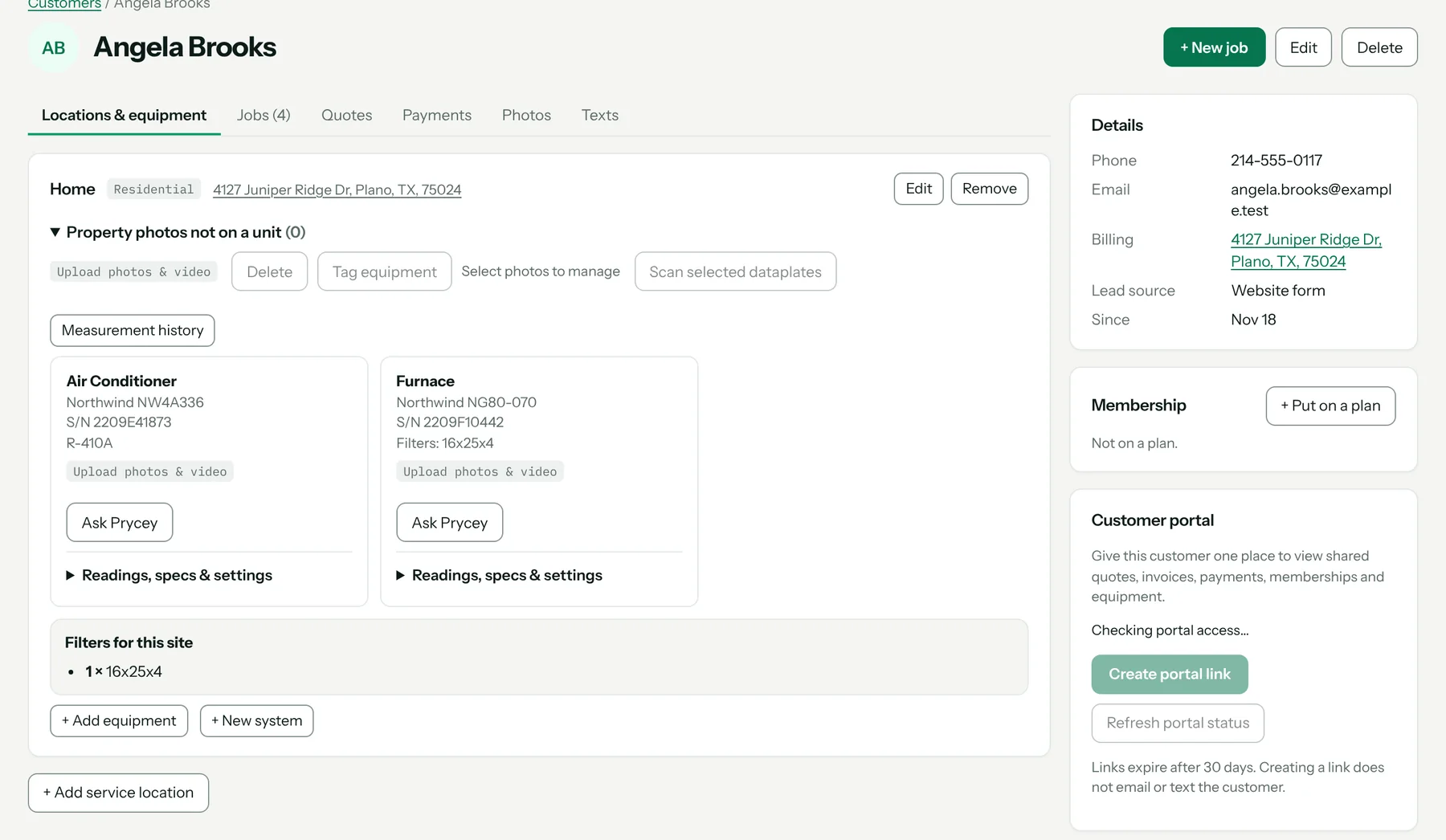
Several addresses per customer
A customer can have several service addresses, and each holds its own equipment, access notes and history.
A site map, indoor units included
The phone walks the tech from a photo to a tag to a pin, so each unit at a property is placed on a map of the site — the next tech knows where the air handler is.
Equipment sales report
Run a report of equipment sold over a period from issued invoices and export it as CSV. See reports.
Get the app
What it costs
Included on both plans: Starter $49 a month and Pro $89, each with one user included and $19 a month per extra user. Every plan starts with a 14-day free trial. Full pricing.
Start your 14-day free trial →
FAQ
How do units get into Pricebookr?
Add them by hand, or photograph the data plate and confirm what Prycey reads.
Can the customer see their equipment?
Yes, on the customer portal link you send them.
How to set it up
Related: Data plate scanner · Readings and diagnostics · Warranty registration tracking · Everything the HVAC CRM does