A markup schedule sets a markup (or margin) for each range of item cost, then applies it across your catalog. Enter either markup or margin and Pricebookr fills in the other — they're two views of the same number. Need a one-off conversion? Use the free margin & markup calculator.
Setting it up
- On the Markups tab, pick the pricebook to price.
- Define cost bands (e.g. $0–10, $10–50, $50–150…) and a markup for each. Add or remove bands as needed.
- Click Preview on catalog to see exactly which items change and to what, then Apply to catalog.
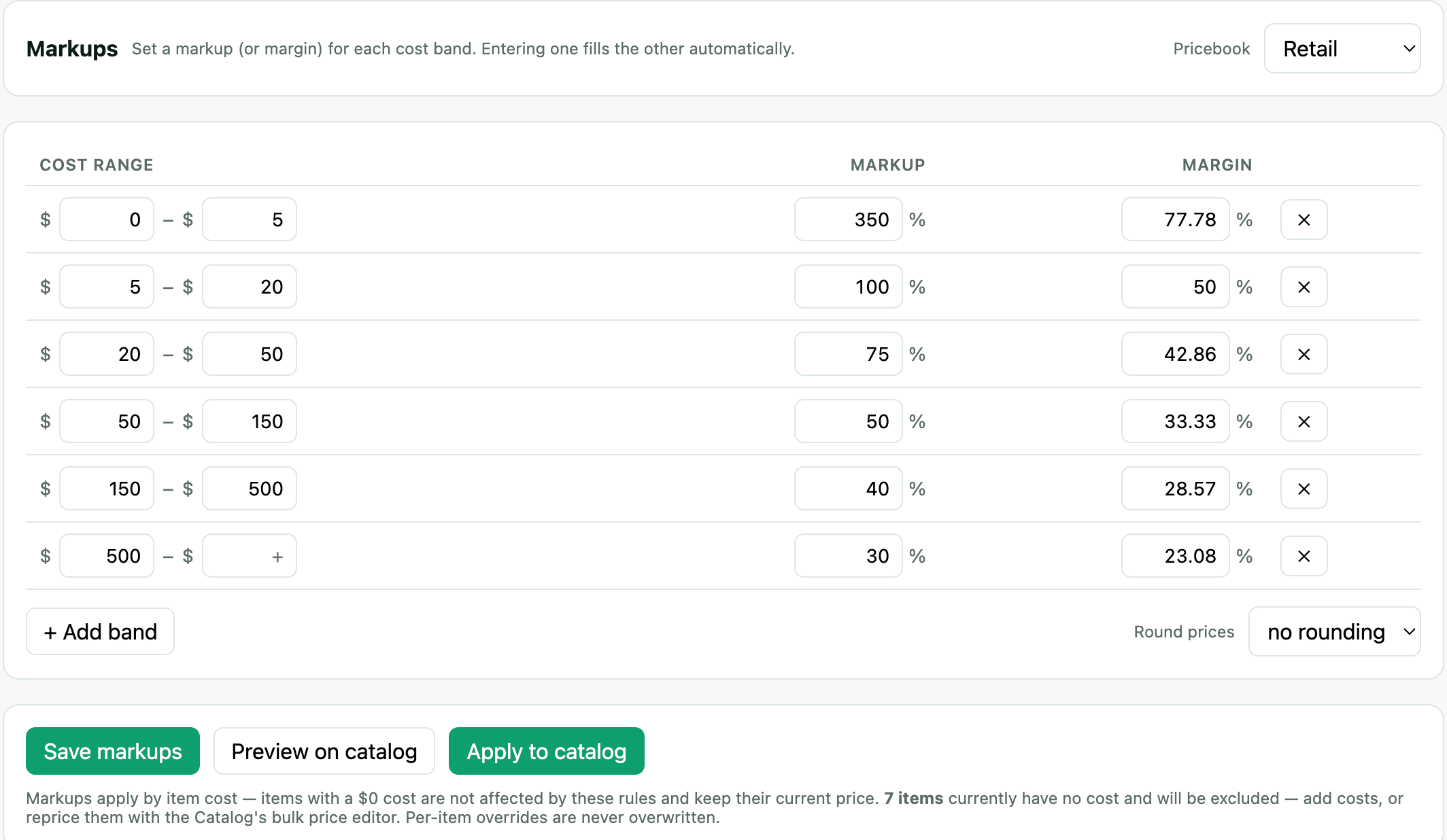
Bands read total cost
An item's cost is material cost + labor cost, and a band matches on the total. An item with $80 of material cost and $45 of labor cost lands in whichever band covers $125. Splitting an item's cost into its two parts never changes which band it falls into or what it prices at — the split is there so you can see and update the parts separately, not to change the arithmetic.
Items with no cost are skipped
A markup schedule prices from cost, so an item with no cost — nothing in material and nothing in labor — has nothing to mark up. Rather than pricing those items at $0.00 and destroying a real price, Pricebookr leaves them exactly as they are and reports how many it skipped — in the note under the buttons, in the preview, and in the applied message.
This is the normal state of a catalog imported from Jobber, where services often carry a price but no cost. Two ways forward, and most catalogs use both:
- Add costs where you know them — inline on the Catalog, or with Advanced bulk edit… → Cost. The No cost data filter above the catalog shows exactly which items still need one.
- Adjust selling prices in Catalog applies percentage or dollar changes without any costs. Use one adjustment for every selected item, or split them into two current-price ranges and adjust each range separately. Items priced at $0.00 stay free and are listed as excluded. Review the proposed prices, then save.
"Applied markups to 0 items" almost always means every item was excluded for having no cost — not that your bands are wrong. The skipped count in the same message tells you which case you are in.
How each price is governed
Every price on the Catalog carries a badge saying where it came from, which is what decides whether a schedule run will touch it:
| Badge | Meaning |
|---|---|
| manual | A person set this number — typed in, bulk price-edited, or imported from Jobber. Direct hand-set prices are protected. A linked Jobber import is included when you explicitly preview markup bands and has a usable cost. |
| a percentage, e.g. 40% | Per-item markup override — the badge shows that item's own markup. Priced from cost at that markup, so it follows cost changes; schedule runs leave it alone. |
| auto | Governed by this pricebook's schedule, so it follows cost changes. |
Linked Jobber imports need no separate conversion: Preview on catalog includes those with a cost and matching band automatically. Applying the preview puts them on the schedule. For other manual prices, click the manual badge for one item or use Manual → schedule… for many at once. Items with no cost, and items no band covers, are skipped and keep their manual price.
When the preview says nothing would change
There are two very different reasons a preview finds nothing to do, and the message tells you which one you are in.
Your prices already match the schedule. Nothing to do, and nothing is wrong.
Or every item is hand-set. A catalog imported from a CSV as "our prices", or priced by typing or bulk-editing prices, is entirely manual — and a schedule is never allowed to overwrite a price a person set. The preview says so, gives the count and names the first few, and offers Put these on the schedule… right there. That stages the whole conversion: you see every old price and new price before anything is written, items with no cost and items no band covers are listed as keeping their current price, and a catalog snapshot is taken before it applies.
A catalog loaded from a starter price list is not in this position. Template prices arrive auto (see What the badges mean), so the first preview prices them from cost like any other item on the schedule.
A preview that does change some items but leaves others out tells you that too — it names the hand-set ones that were skipped, so nothing about the apply is a surprise afterwards.
Per-item overrides
Need one item priced differently? Edit it and set a markup, margin, or exact price for that pricebook. Overrides are respected by future schedule runs — they won't be overwritten.
Seasonal pricing
Pricebookr has no date-based or seasonal schedule. A markup schedule stays as you set it until you change it. Two ways to run a seasonal change:
- Items on the schedule (auto): raise the markup on the bands you want, preview, and apply. When the season ends, set the bands back and apply again. The items stay on the schedule and keep following cost.
- Fixed prices (manual): filter the Catalog to the items, select them, and use Adjust selected prices, for example +8%. Adjusted prices are fixed from then on. To undo at the end of the season, adjust them back down. Rolling back a snapshot from History also works, but it undoes every catalog change made since that snapshot.
Either way, nothing reaches Jobber until you review and confirm a push.